
If you’ve forgotten your password or need to reset it for any reason, follow these simple steps to reset it via the Now Book It Admin login page.
Steps to Reset Your Password:
-
Go to the Now Book It Admin login page:
https://admin.nowbookit.com -
If it automatically logs you into the general user dashboard, click Logout in the top right-hand corner.
-
Once logged out, enter your username in the appropriate field.
-
Below the Password field, click the Forgot Password link.
-
Click on the Reset Password button.
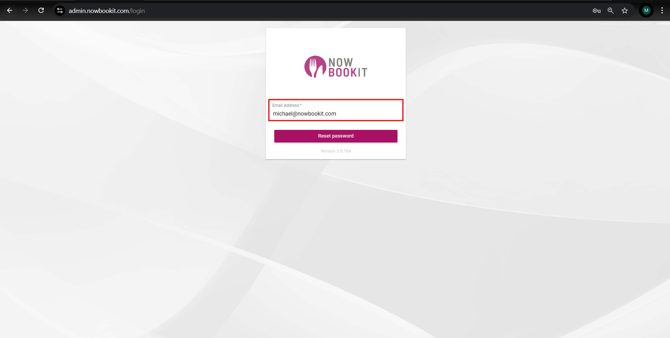
-
Check your inbox for the reset email, then click the link provided to create a new password.
-
Set a new secure password.
-
Return to the login screen and enter your username and new password to log in.