What the Integration Does
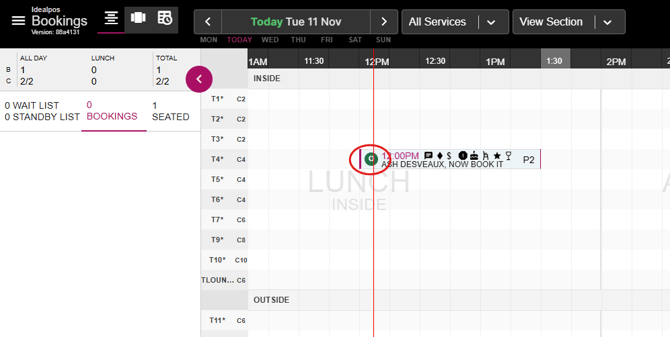
- When a booking in Now Book It is marked as Seated, the corresponding table in Idealpos is automatically assigned and seated (including customer details, if available).
- When a table is created in Idealpos, a walk-in is automatically created in the Now Book It diary.
- Any pre-payments made through Now Book It are automatically applied to the Idealpos order.
- When the corresponding Idealpos order is checked out, the booking status in Now Book It updates to Finished.
- Sales data from Idealpos is automatically sent to Now Book It.
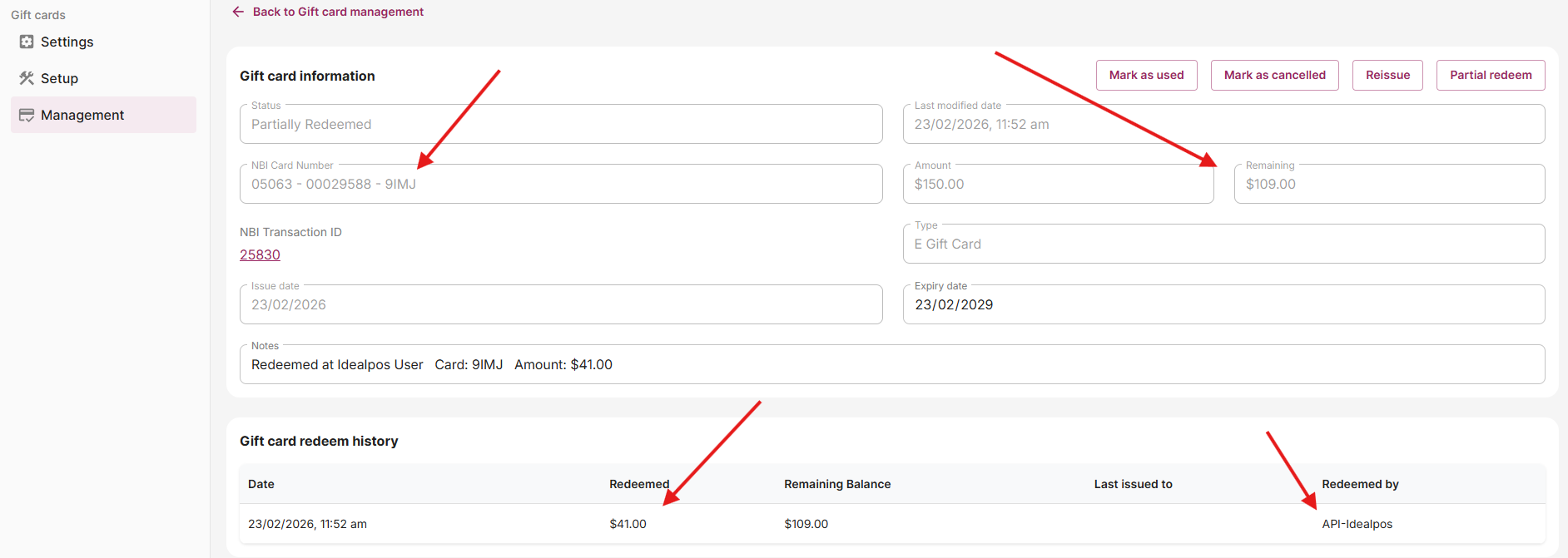
- Gift Card redemption in Idealpos is updated in real time with Now Book It.
Using the booking in Idealpos
Accessing the Booking
-
Log into Idealpos.
-
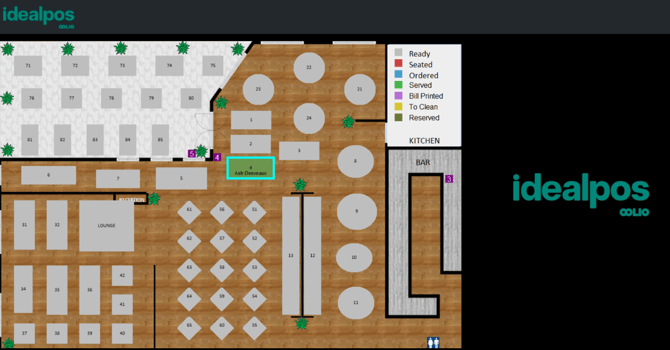
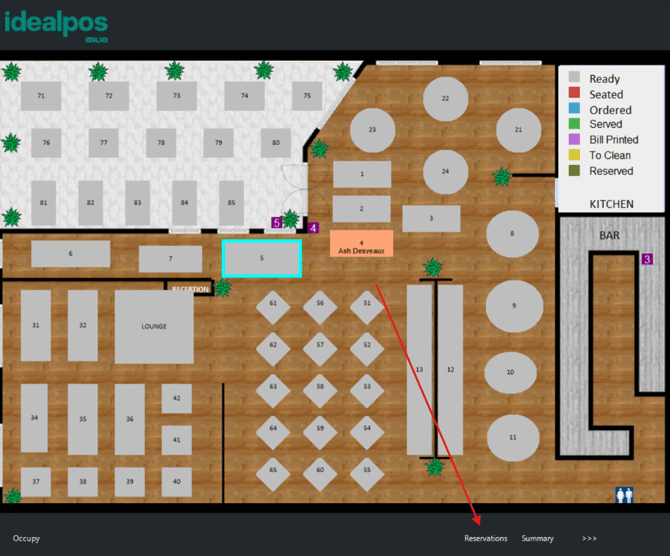
The table associated with the Now Book It booking will appear as reserved.
Seating the Booking
-
Click ‘Occupy’ in the bottom-left corner.
-
This will seat the booking in the Now Book It diary, and the table will change colour to indicate its seated status.
-
-
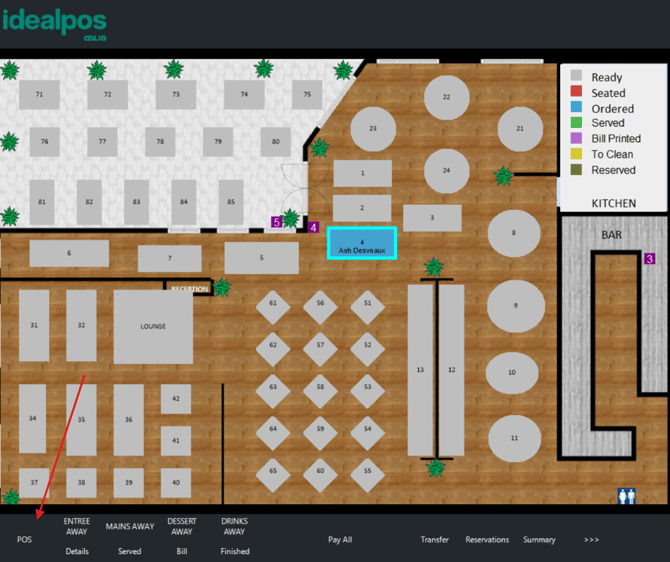
Highlight the table and click ‘POS’ to open the order and begin adding items.
Real-Time Status Updates
-
As orders progress, the booking status in Now Book It will update in real time, reflecting key service stages such as:
-
Ordered
-
Entrees Away
-
Mains Away
-
Desserts Away
-
Billed
-
Viewing Reservations
-
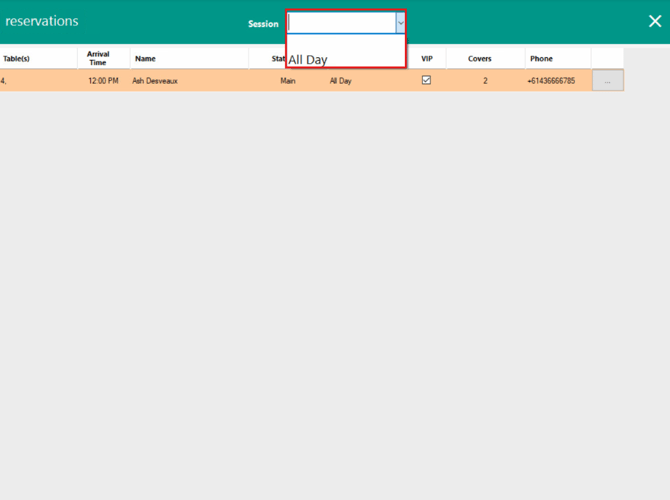
Idealpos includes a Reservation List, allowing you to view all bookings for the day.
-
You can filter bookings by service.
-
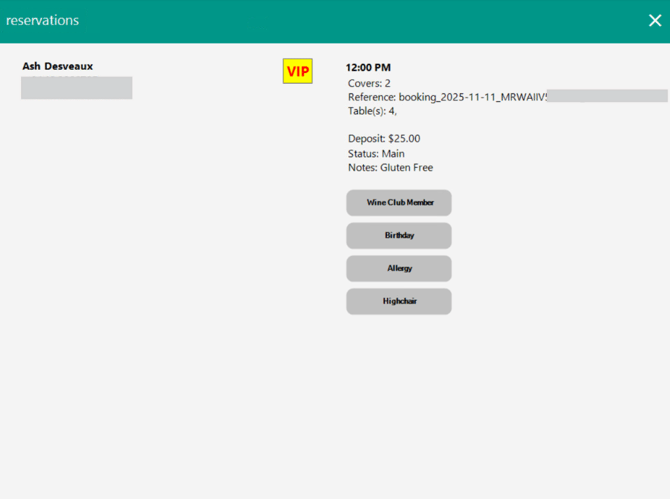
Click the three dots on the right-hand side of a booking to view detailed booking and customer information.
Completing the Booking
When the customer completes payment in Idealpos:
-
-
The booking status in Now Book It will automatically update to Paid.
-
The sales data will be sent to Now Book It.
-
Five minutes later, the status will automatically change to Finished to account for table cleaning.
-
If cleaning is completed earlier, you can manually update the booking to Finished.
-
Gift Card redemption
How the Gift Card Integration works
-
The customer purchases a digital gift card from the venue’s website.
-
The gift card Now Book It ID number, and balance are stored in Now Book It.
-
When the customer purchases items in-store using a gift card, venue staff can enter the ID of the voucher through the POS screen.
-
Customers can redeem either the partial or total balance of the gift card.
-
Customers can split payments between Gift cards and Cash when purchasing in-store.
-
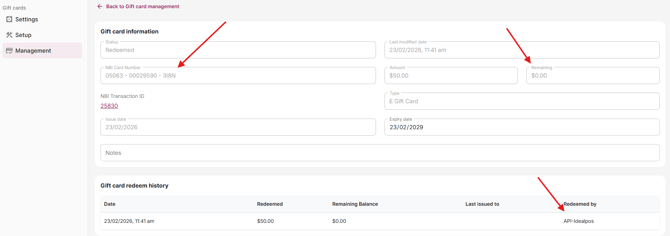
Transaction details are sent in real-time and stored in the Now Book It gift card management portal.
Fully redeeming a gift card using Idealpos
-
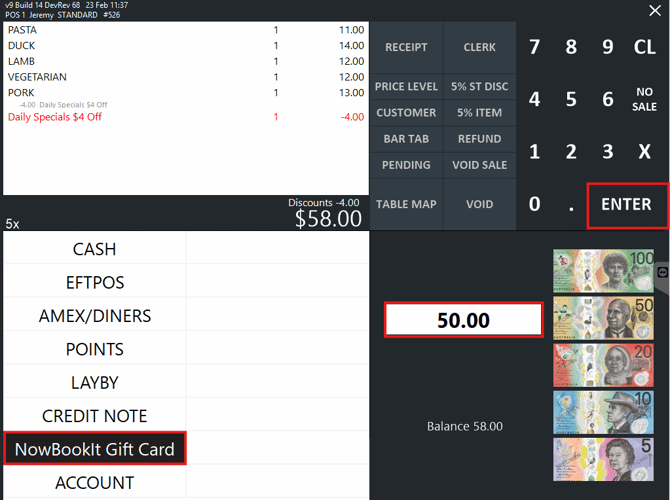
Press the ENTER button on-screen to go to the Tender Screen.
-
Select "NowBookIt Gift Card" Tender.
-
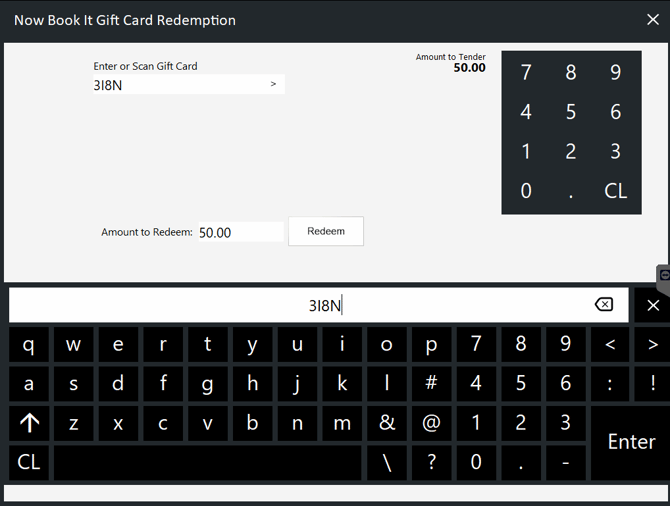
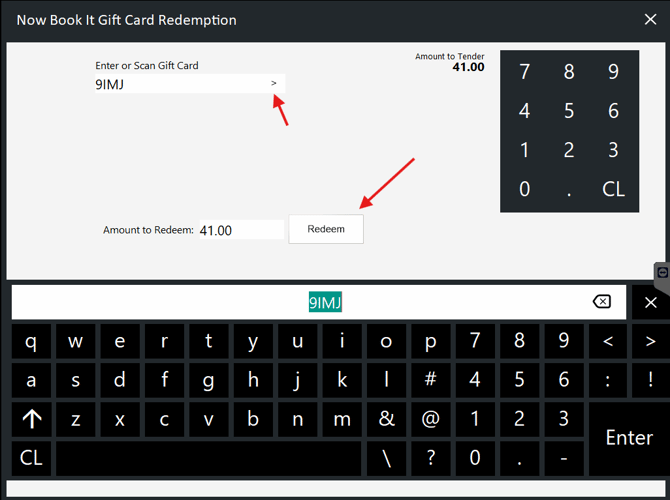
Press the arrow to enter the NBI gift card number. You can also enter the Amount to Redeem.
-
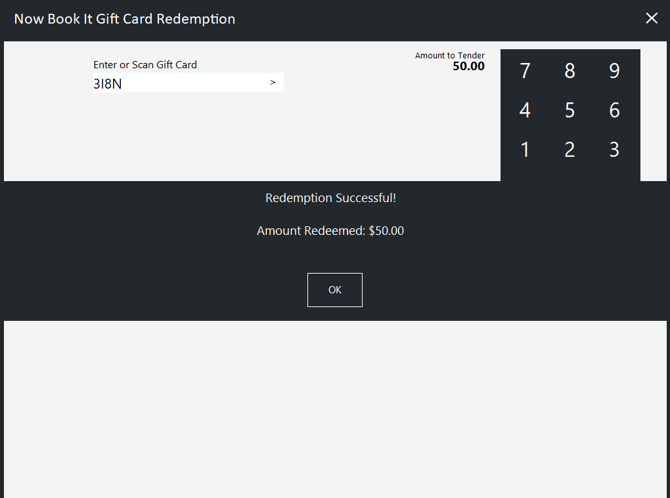
The Payment will process and automatically redeem in NBI admin page.
Partially redeeming a gift card using Idealpos
-
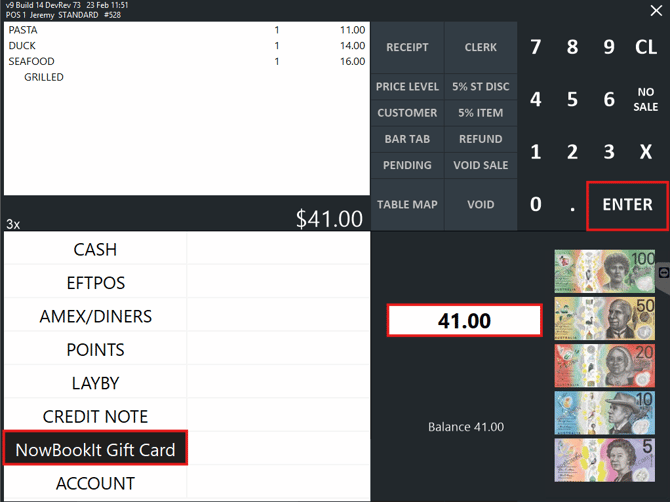
After adding items to an order in the POS - products will be listed.
-
Select "Enter" & then "NowBookIt Gift Card" Tender.
-
Press the arrow to enter the NBI gift card number. You can also enter the Amount to Redeem.
-
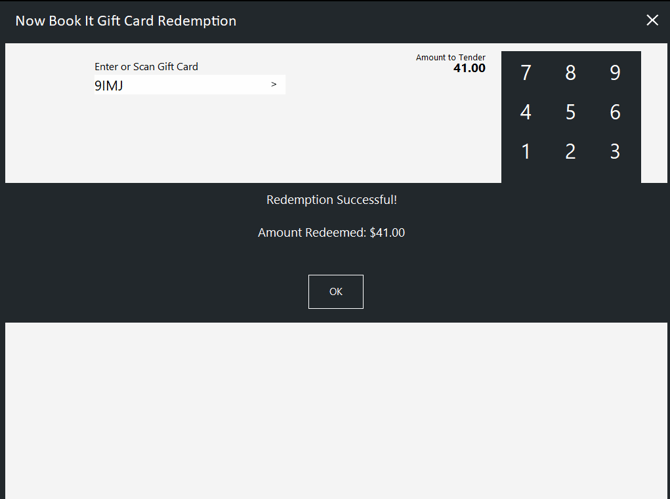
The Payment will process and automatically redeem in NBI admin page.
-
You can find the payment is automatically redeemed in the NBI Admin page.