You can easily re-send a gift voucher through to a customer by accessing the voucher on your admin page.
- Navigate to your Gift Card settings from either your admin page or from your diary.
- From Admin; Click on the following link; https://admin.nowbookit.com/
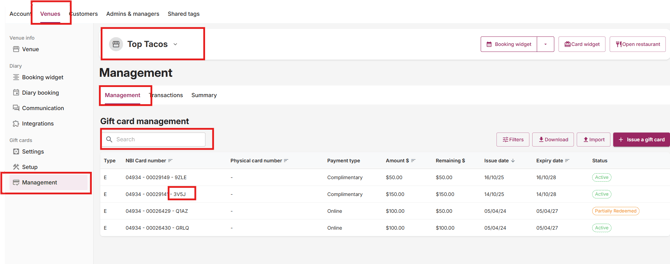
- Click on Gift Card Management on the side bar
- From the diary, click on the three white dots in the top right hand corner, and then click on Gift Cards
- Select the 'Management' tab on the left hand side of your page under the Gift Cards heading.
- Look up the gift card number you'd like to resend by searching with the last 4 digits or letters on the card. You can also search by surname or email address.
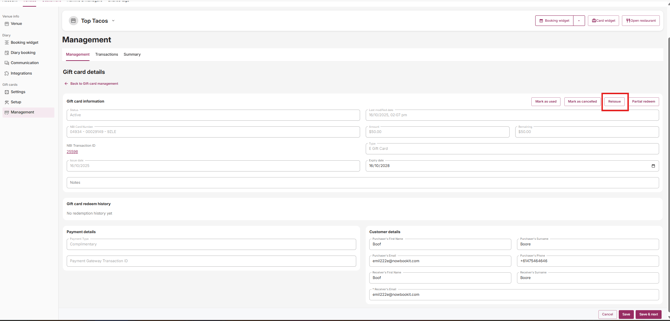
4. Once you've selected the correct gift card, click on it. At the top of the page, you'll see a 'Reissue' button. Clicking this will resend the gift card to the email address listed under 'Receiver's Email'
Reissue to another email address;
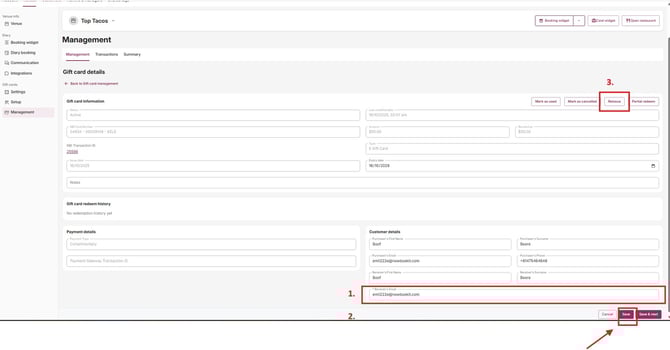
- You are able to edit and update the email address if required.
- Follow the above steps to search and open the Gift Voucher information
- Update the email address as required
- Click Save to save the new email address and then re-open and Reissue