
Tables with a higher priority (e.g., Priority 1) are allocated first, meaning they are offered to customers before tables with lower priorities. This helps you fill your most desirable tables first. If a table is less desirable, set its priority to a higher number (such as priority 2), so it will be offered after tables with Priority 1.
Tables that are not joined to other tables (standalone tables) are prioritized over joined tables.
As a venue you can decide which section of the venue you want filled up first, and allocate all those as Priority 1, then the next section Priority 2, and the next section as priority 3 and so on. This will ensure that one section will get filled as much as possible before the next section.
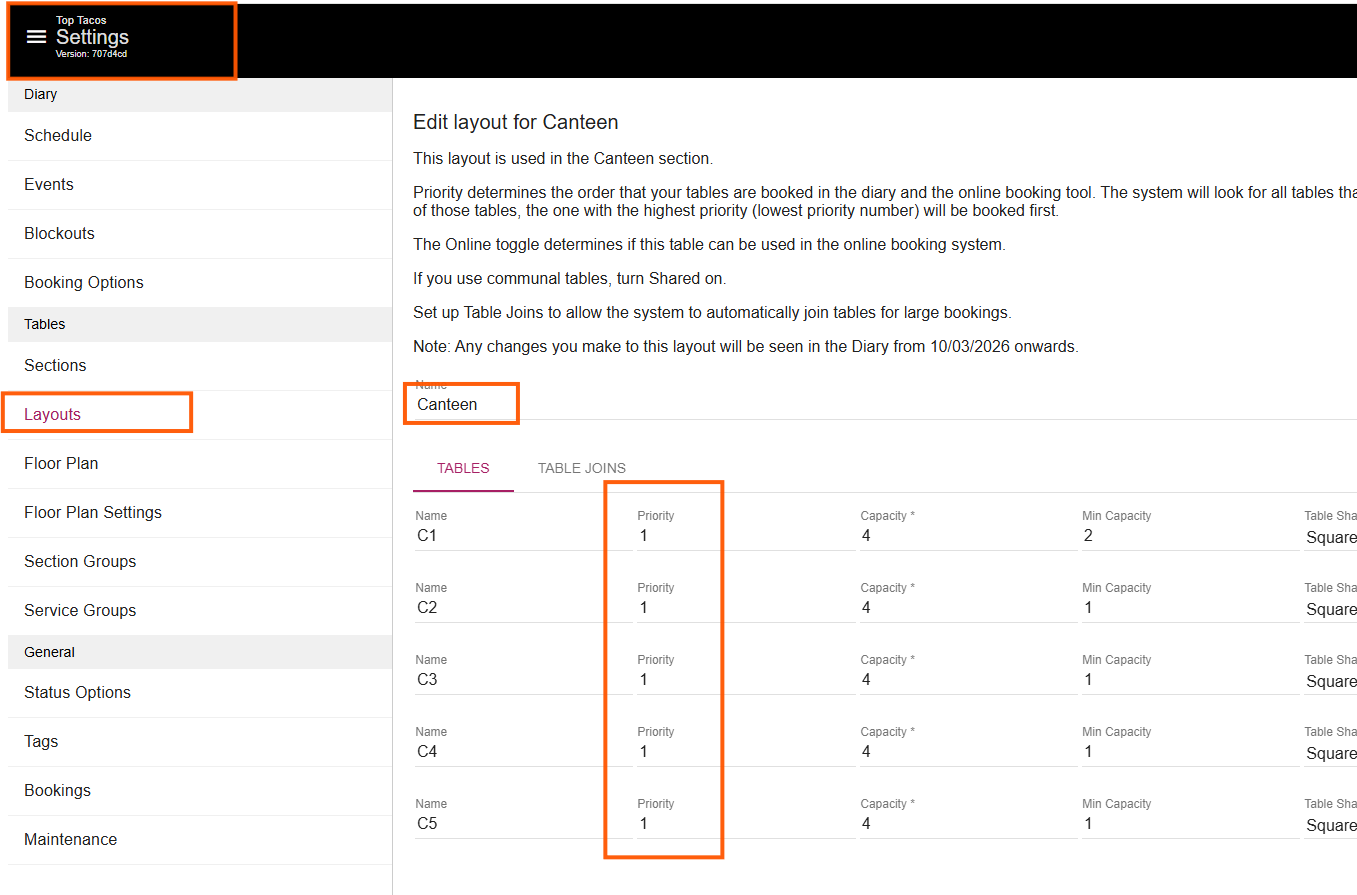
Alternatively, within each section you can choose the table that you want to be filled up first and make it Priority 1, and the next table you want filled up as Priority 2 and so forth.
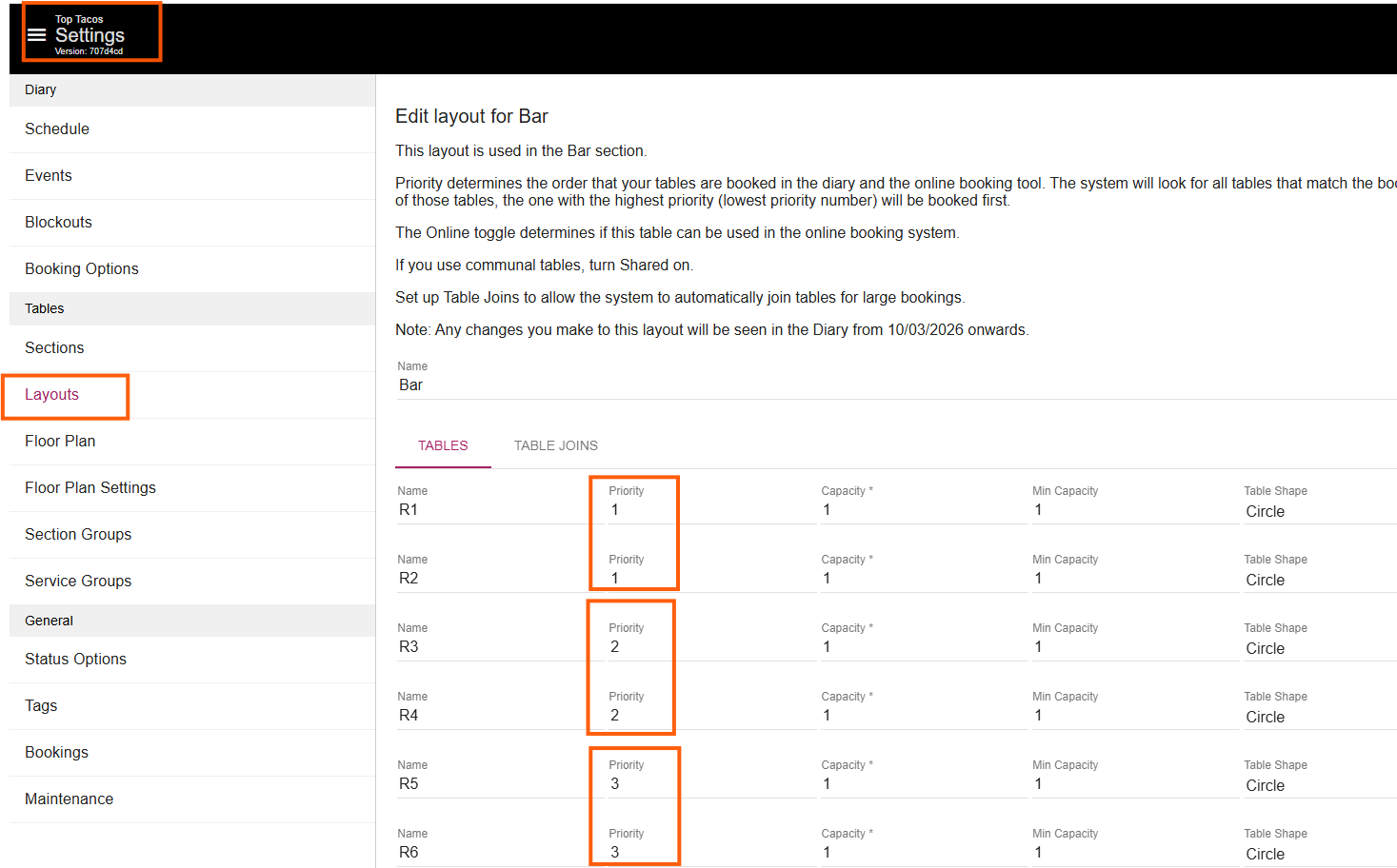
This is only part of the algorythm that the system uses. The system will first select the table that best fits the booking, and then consider the priority. For example, if a customer books for 2 people and you have two available tables—one with a max capacity of 4 and priority 1, and another with a max capacity of 2 and priority 2—the system will assign the booking to the table with a max capacity of 2 and priority 2, as it is a better match for the booking size regardless of section.
As you can see, several factors are involved in table allocation. However, using table priorities effectively can help reduce manual adjustments and maximise your bookings.